
Scenes
Go to OPTIONS > Scenes. Scenes are full-screen screens for the moments without gameplay: before the match, during the breaks and between the maps.
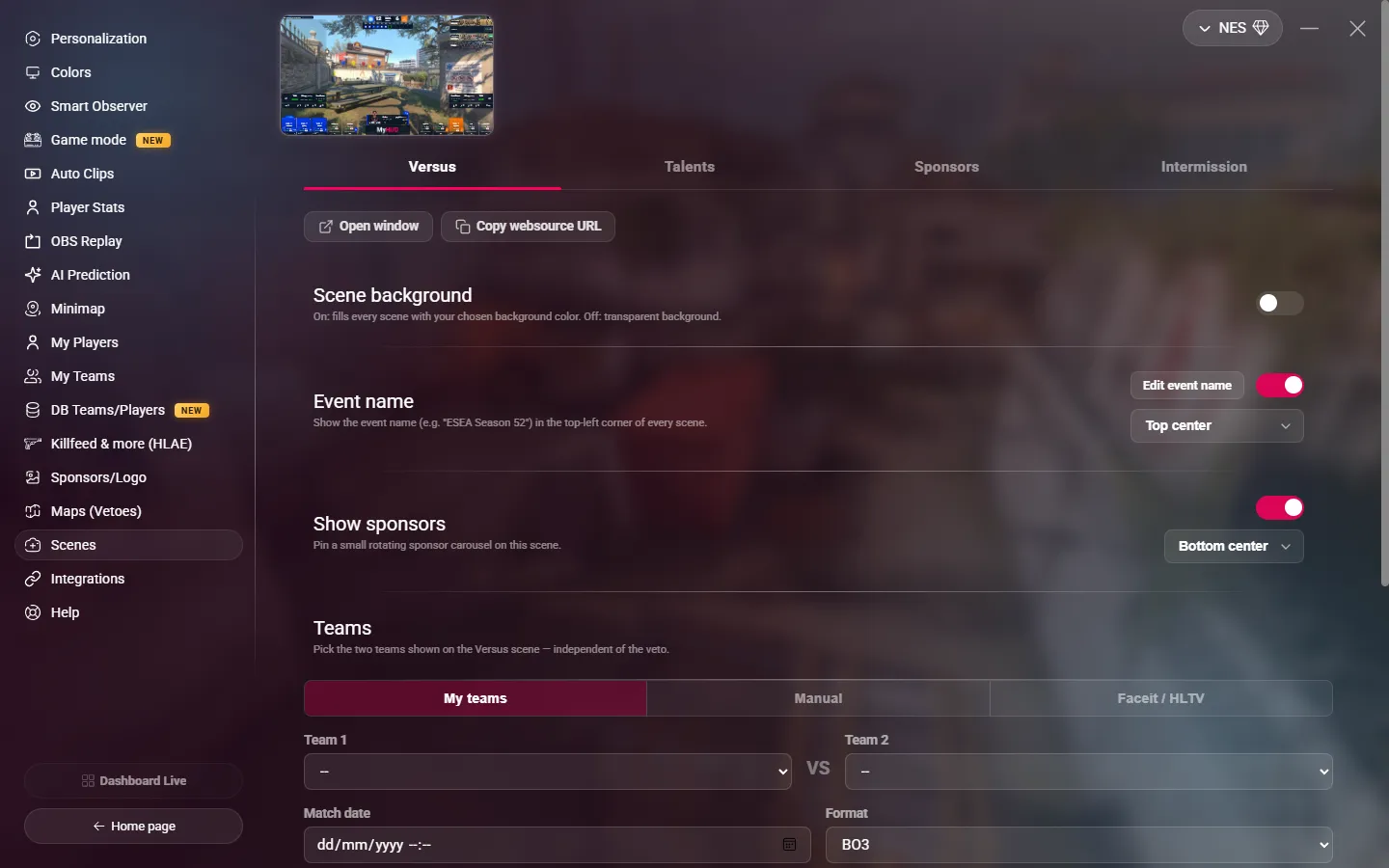
| Scene | What it shows |
|---|---|
| Versus | The two teams, their logos, the format and a countdown to the start of the match. |
| Talents | The casters, observers and other talents, with photo and role. |
| Sponsors | Your sponsors, full screen. |
| Intermission | The recap of the series: the teams, the series score and the map cards with their results. |
Show a scene
Each tab has two buttons:
- Open window: opens the scene in a full-screen window above the other windows, on the main screen. Click it or press Esc to close it. Capture this window in OBS, like the HUD.
- Copy websource URL: copies the URL of the scene for an OBS Browser source:
| Scene | URL |
|---|---|
| Versus | http://localhost:36364/sen/versus |
| Talents | http://localhost:36364/sen/talents |
| Sponsors | http://localhost:36364/sen/sponsors |
| Intermission | http://localhost:36364/sen/mapRecap |
The scenes are made for 1920 × 1080 and adapt to any 16:9 size. MyHUD must be open.
You can also switch scenes from a Stream Deck or a script. See HUD, scenes and replay.
Settings of all the scenes
| Setting | Description |
|---|---|
| Scene background | On (default): the scene uses the background color of your color preset. Off: the background is transparent, so you can put your own background behind it in OBS. |
| Event name | Shows the event name in a corner of the scene. Choose the corner in the list. The name comes from Personalization > Event title: click Edit event name to change it. |
| Show sponsors | Adds a small sponsor carousel in a corner. It applies to all the scenes except Sponsors. You need at least one sponsor. |
Versus
Under Teams, choose the two teams of the Versus scene. They do not depend on the veto. There are three ways:
- My teams: choose from your saved teams.
- Manual: type the names and add the logos.
- Faceit / HLTV: paste a match link to fill in the teams, logos, date and format.
Then set the Match date (for the countdown) and the Format.
If you set no team here, the scene uses the teams of the veto.
Talents
- On-screen title: the title of the scene. Default: "Talent Desk".
- Talents: add each person with their name, role (caster, observer…) and the link of their photo, then click Add.
Sponsors
This scene uses the list of Sponsors/Logo. There is nothing else to set.
Intermission
- On-screen title: the title of the scene. Default: "Match Recap".
The scene uses the veto and the map results of Maps (Vetoes). If there is no veto, it shows the two teams like the Versus scene.