
Export and import
Go to OPTIONS > Integrations > Export / Import. You can save your players, teams and custom colors in a JSON file, and load them on another account or another PC. Use it to share a setup with another caster, or to keep a backup before an event.
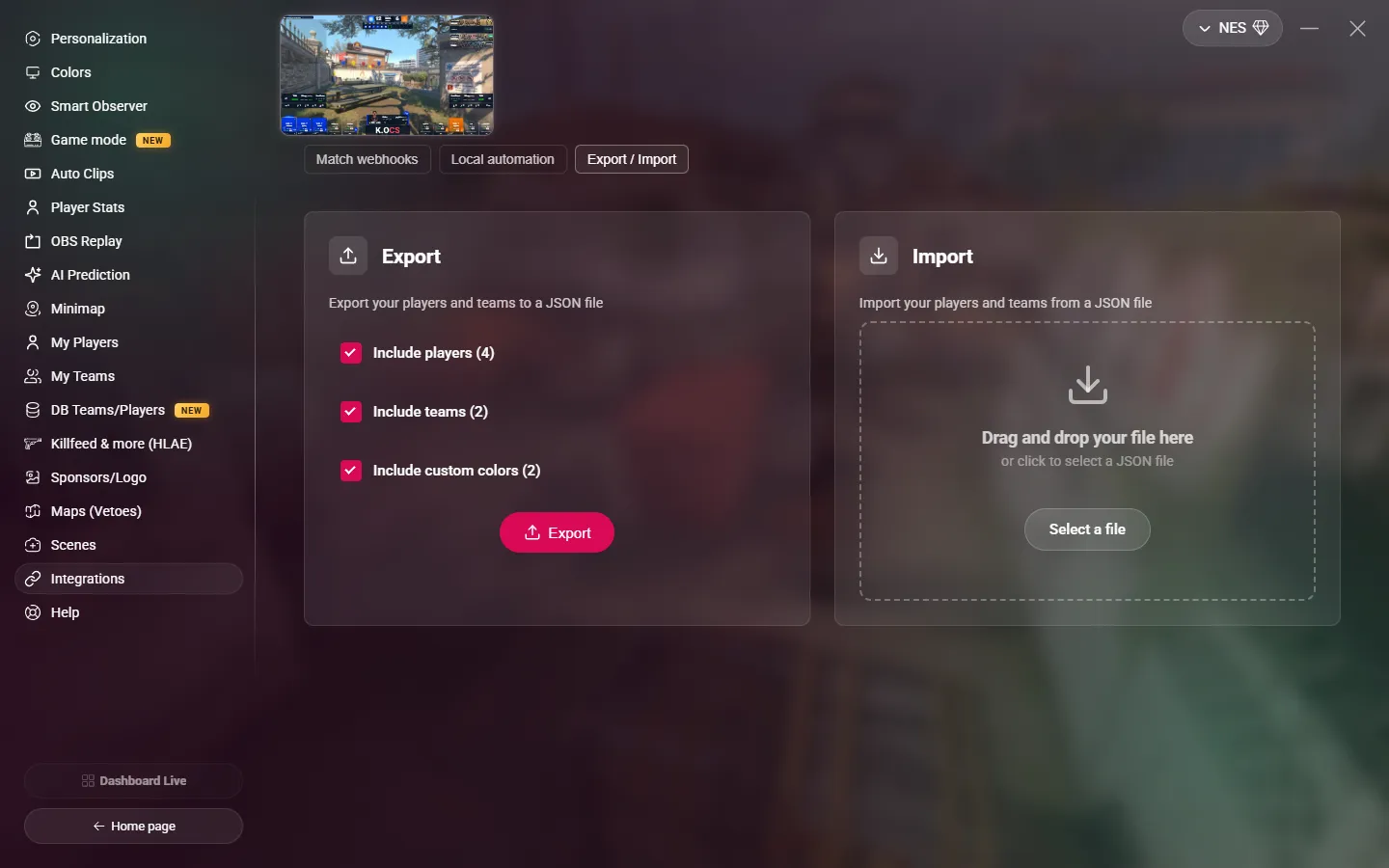
Export
- Choose what to export: Include players, Include teams, Include custom colors. The number of items shows next to each option.
- Click Export.
MyHUD downloads a file named myhud-export-….json, in your downloads folder.
The file contains only your players, teams and custom colors. The other settings (HUD, maps, webhooks…) are not in it.
Import
- Drop the JSON file on the Import area, or click Select a file.
- In the confirmation window, choose what to import.
- For each type of data, choose:
- Merge (default): adds the items of the file to yours. An item that already exists is kept as it is, not updated.
- Overwrite: deletes all your items of this type, then adds those of the file.
- Click Confirm import.
WARNING
Overwrite cannot be undone. Export your current data first if you want to keep it.
Teams are imported before players. After the import, MyHUD applies the new data at once.