
Layout and display
Go to OPTIONS > Personalization. This page sets the general look of the HUD and the elements that it shows.
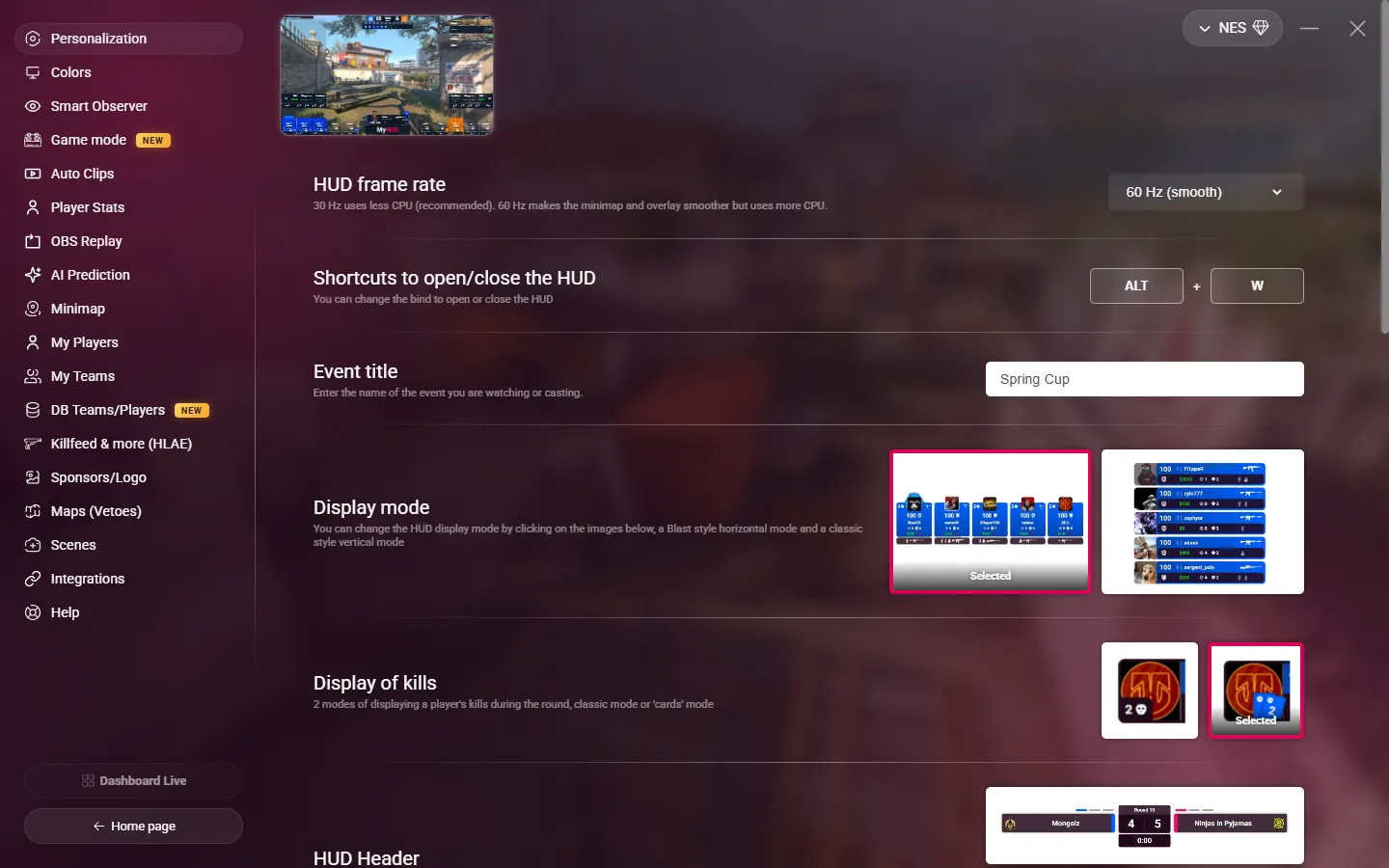
General settings
| Setting | What it does |
|---|---|
| HUD Display | The screen where the HUD overlay window opens. This setting appears only in the desktop app, when your PC has more than one screen. It is saved on this PC only. |
| HUD frame rate | 60 Hz (smooth) is the default. 30 Hz (performance) uses less CPU: choose it if your PC struggles during the stream. |
| Shortcuts to open/close the HUD | The shortcut that shows or hides the HUD. Default: Shift+W. The first key must be Alt, Ctrl or Shift, the second a letter or a digit. |
| Event title | The name of your event, up to 100 characters. It shows in the top-right corner of the HUD and on the scenes. Leave it empty to hide it. |
| Shortcuts to open/close the scoreboard | The key that opens or closes the scoreboard. Default: F9. It must be different from the veto and stats keys. |
The shortcuts work even when MyHUD is not the active window.
Layout
Click an image to choose an option.
| Setting | Options |
|---|---|
| Display mode | Horizontal (Blast style): the players are in a row at the bottom. Vertical (classic): the players are stacked on each side. In 2v2 and 3v3, the vertical mode shows bigger player cards. A 1v1 always uses the duel layout. |
| Display of kills | Classic or Cards: how the kills of a player in the current round are shown. |
| HUD Header | The old header, or the new one, more compact. With the new header, you can also turn on Hide team names during rounds: the team names then show only during the freezetime and the breaks. |
| 1v1 webcam position | Beside the card or Above the card. It applies when a player has a webcam link (see Teams and players). |
HUD elements
Each line turns an element of the HUD on or off.
| Setting | What it shows | Default |
|---|---|---|
| Players Alive Information | The number of players alive, in the top-right corner, during the round. Not shown in 1v1. | Off |
| Inventory bar | The equipment of each team, all the time. When off, it shows only at the start of the round. | Off |
| Team On Fire | A glow around a team that wins at least 4 rounds in a row. | On |
| Player On Fire | A glow around a player with at least 3 kills in the round. | On |
| Display remaining time of bomb | The seconds left before the bomb explodes, next to the progress bar. | On |
| Display remaining time of defuse | The seconds left in the defuse, next to the progress bar. | On |
| MVP Animation | An animation at the end of a round, when the winning team has a player with at least 3 kills. | On |
| MVP Trophy | The rotating trophy in the MVP animation. Available only when the MVP animation is on. | On |
| Round Winner | The name of the winning team in the center of the screen at the end of each round. | On |
| Scoreboard Avatar | The player pictures in the scoreboard. | On |
| Team logo fallback | If a player has no picture but belongs to one of your teams, the team logo replaces the picture. When off, the default CT or T picture stays. | On |
Use Trigger Preview next to a setting to see the effect in the preview.