
Smart Observer
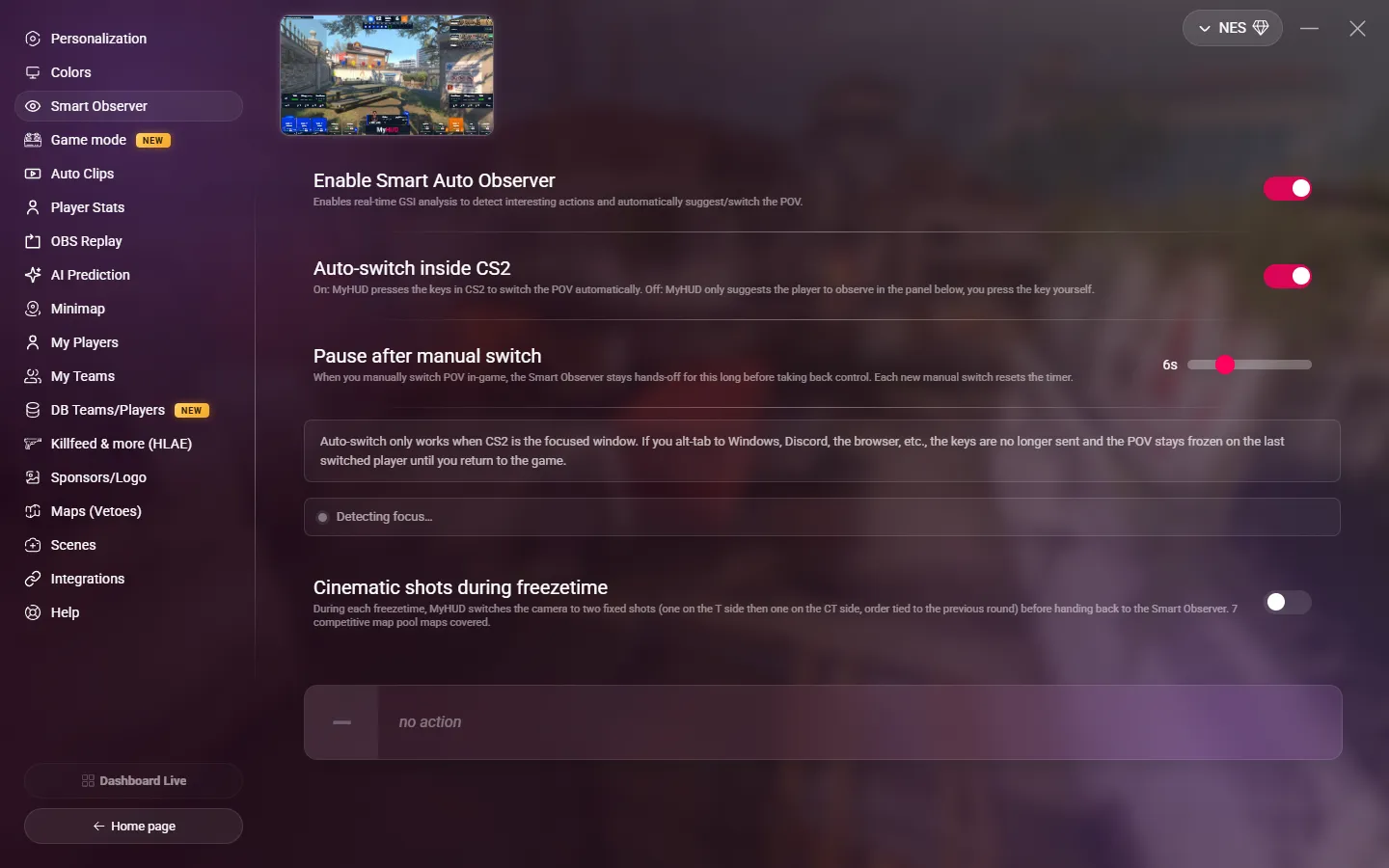
Go to OPTIONS > Smart Observer. The Smart Observer reads the game data in real time and finds the player to watch: a clutch, a duel about to start, the bomb under pressure, a fight at low HP… It can switch the point of view for you, or only suggest it.
The Smart Observer needs an active subscription.
Settings
| Setting | Description |
|---|---|
| Enable Smart Auto Observer | Turns the Smart Observer on. Default: off. |
| Auto-switch inside CS2 | On (default): MyHUD presses the observer keys in CS2 to change the point of view. Off: MyHUD only suggests the player in a panel on this page, and you press the key yourself. |
| Pause after manual switch | Only in auto-switch. When you change the point of view yourself, the Smart Observer waits this long before it takes control again, from 1 to 20 seconds. Default: 6 seconds. Each manual switch restarts the timer. |
The suggestion shows the reason: CLUTCH, DUEL, BOMB, TRADE, LOW HP or STACK.
Keep CS2 in front
MyHUD sends the keys to CS2 only when CS2 is the active window. If you switch to another window (Discord, the browser…), the point of view stays on the last player until you come back to the game. The page shows if CS2 is the active window.
FACEIT anti-cheat
When the FACEIT client is running, its anti-cheat blocks the keys that MyHUD sends to CS2. Quit the FACEIT client before you cast, or turn off Auto-switch inside CS2 and change the point of view yourself.
Cinematic shots during freezetime
During each freezetime, MyHUD moves the camera to two fixed shots, one on the T side and one on the CT side, then gives control back to the Smart Observer. Default: off.
- It works on Ancient, Anubis, Cache, Dust2, Inferno, Mirage, Nuke and Overpass.
- It works even when the Smart Observer is off.
- MyHUD uses the F11 key in CS2 for it (the
myhud.cfgfile binds it). Do not use F11 for something else in CS2. - Like the auto-switch, it needs CS2 in front and the FACEIT client closed.
You can also turn the Smart Observer on or off from a Stream Deck or a script. See HUD, scenes and replay.