
Player stats
Go to OPTIONS > Player Stats. The stats card shows the statistics of a player on the HUD, for example when the casters talk about them.
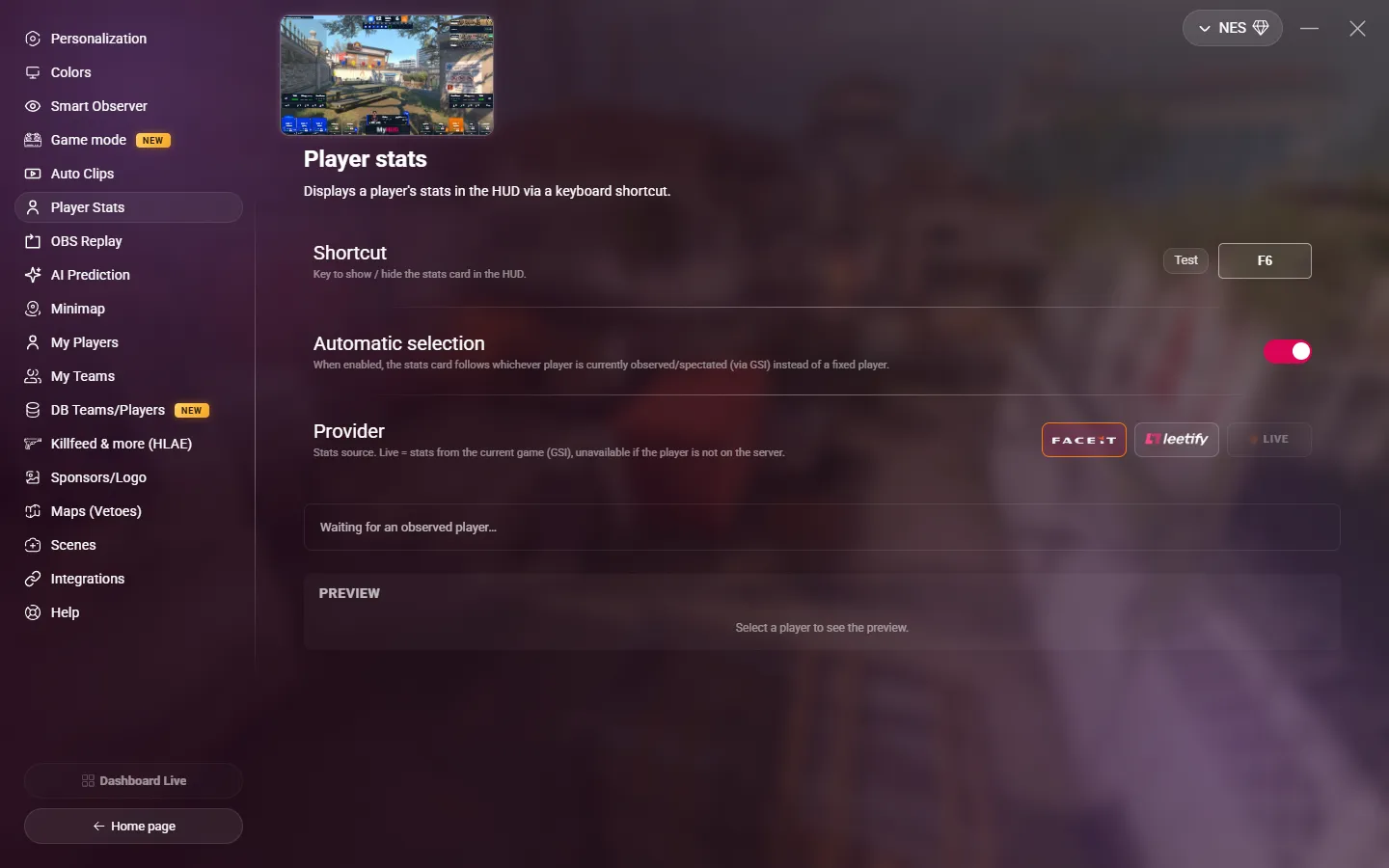
Settings
| Setting | Description |
|---|---|
| Shortcut | The key that shows or hides the stats card. Default: F6. It must be different from the scoreboard and veto keys. The card stays until you press the key again. |
| Automatic selection | On: the card shows the player that you observe in the game. Off: you choose a fixed player in the lists below. |
| Provider | Where the stats come from: Faceit, Leetify, or LIVE (the stats of the current match). LIVE works only for a player on the server. |
You do not need an API key: MyHUD gets the FACEIT and Leetify stats for you.
Choose a player
With Automatic selection off, choose the player in one of the lists:
- My players: your saved players.
- Players on the server: the players of the current match.
The preview shows the card of the selected player. Click Test to show it on the HUD.
From a Stream Deck or a script
The show_player_stats command shows the card of a player by their HUD slot, with a provider and a duration. See HUD, scenes and replay.